
Beautiful spot.
Now get the shot.
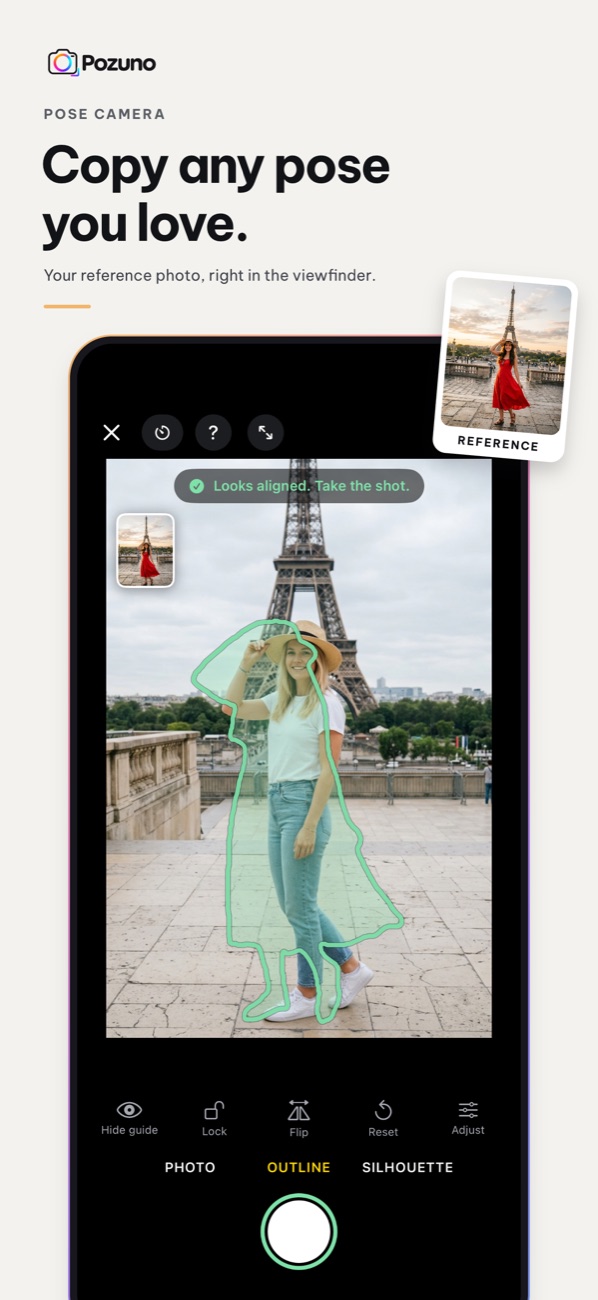
Pick a pose you love, from your own photos or from Pozuno's library. Its guide appears right on your camera. Move until you fit the guide, then shoot.
Download on theApp StoreFree for iPhone, iOS 17 or later. English and Vietnamese.
Three steps to the photo you had in mind
Choose a photo from your library, or browse poses by place, season and trend.
The pose shows on your camera as a photo overlay, an outline or a silhouette. Hints tell you to step back or re-frame.
When the guide turns green, take the shot. Add a film look, a Polaroid or stamp frame, your own caption and the place.
Made for trips, dates and days out
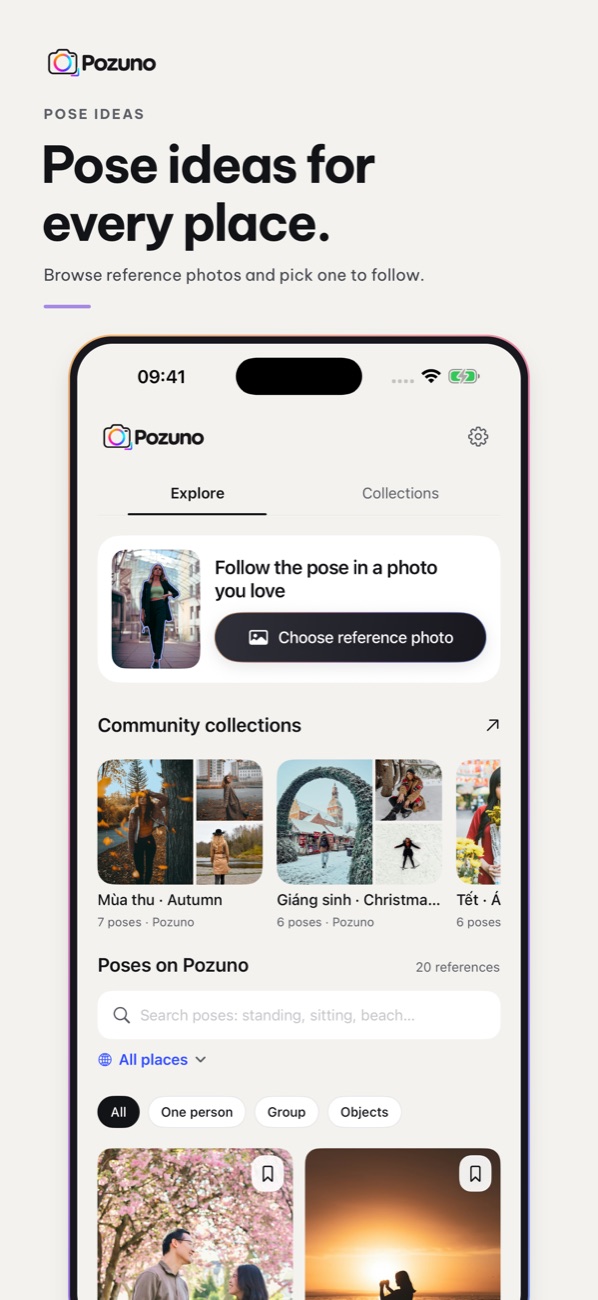
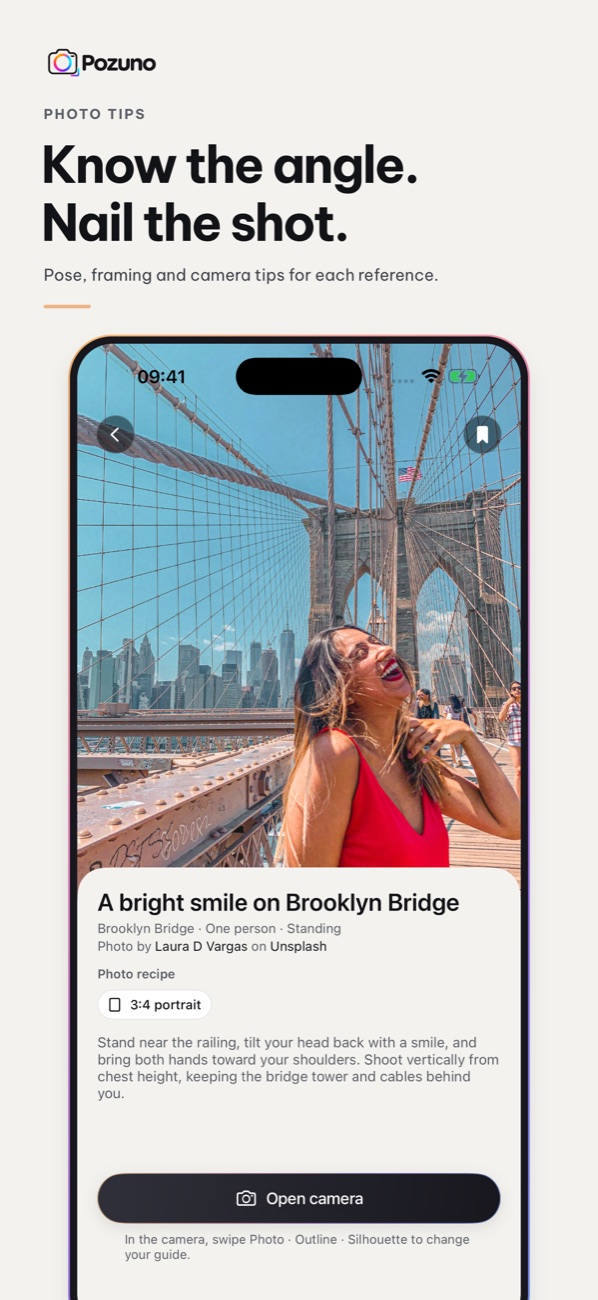
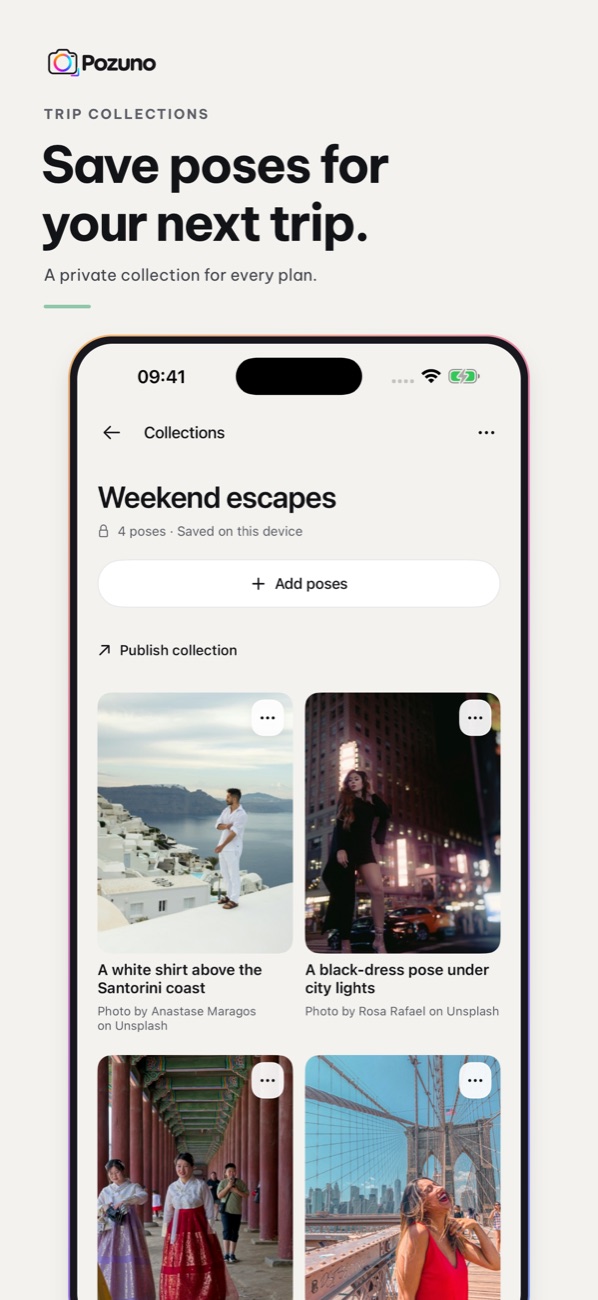
Eiffel Tower, Hoan Kiem Lake, Santorini, Brooklyn Bridge and more, plus autumn, cherry blossom, Christmas and Tet collections.
Save poses before you go and open them when you arrive. Private collections stay on your device.
Digicam, flash, disposable film, soft glow and more. Frames with editable text and a place tag.
Camera frames and pose analysis stay on your iPhone. Only photos you choose to publish are uploaded.
Good to know
Is Pozuno free?
Yes. Version 1.0 is free, with no ads.
Can I use my own photo as the pose?
Yes. Pick any photo from your library. Outline and silhouette guides work when Pozuno can find a person or a clear subject in it; the translucent photo guide always works.
Are my photos uploaded?
No. Photos stay on your device unless you choose to publish a collection, and then only the photos you select and confirm are uploaded.
Which devices are supported?
iPhone with iOS 17 or later.